 Before · PNGAfter · SVG · 7 shapes
Why you end up with WebP files
WebP is an image format designed to make web pages load faster. Many sites, content platforms and CDNs now serve it automatically, so when you right-click and save a logo, an icon or an illustration from a web page, there is a good chance it lands on your disk as a .webp file, even if it was uploaded as a PNG or JPG.
That is convenient for browsers but awkward for everything else. Some design and cutting tools still do not open WebP, and even those that do can only treat it as pixels. If you need the artwork to scale, recolour or cut, you need a vector version, and the way to get one is to trace it.
WebP comes in two flavours. Lossless WebP behaves like PNG: edges are exact and colours are flat. Lossy WebP behaves more like JPG: it is smaller, but it smudges fine detail and adds faint blocky noise. Both can be converted, and the sections below explain how to handle each.
How to convert WebP to SVG
- Drop the .webp file on the converter above, click to browse for it, or copy the image in your browser and paste it here with Ctrl+V (Cmd+V on a Mac).
- The converter traces it straight away in Colour mode with 8 colours.
- Check the preview. To change the number of colours, switch to Black & white, or fine-tune the tracing, open the image in the editor.
- Click Download SVG to save the vector file, or Copy SVG to put the markup on your clipboard.
You do not need to convert the WebP to PNG first. Image Tracer reads WebP directly, so an extra conversion step would only add another round of processing without improving the trace.
The WebP image is decoded and traced by your own browser, inside a Web Worker. It is never uploaded, there is no account, and the tool keeps working offline once it has loaded.
Transparent WebP images
Like PNG, WebP supports an alpha channel, and many logos and icons served as WebP have a transparent background. How that transparency is treated depends on the mode.
| Mode | What happens to transparent pixels | Watch out for |
|---|---|---|
| Colour | Skipped entirely. No shape is drawn there, so the SVG is empty in the same places as the WebP. | Nothing; this is usually what you want. |
| Black & white | Treated as white. Only dark areas become shapes, so the SVG is still transparent around them. | Light or white artwork disappears against the white. Tick Invert image or use Colour mode. |
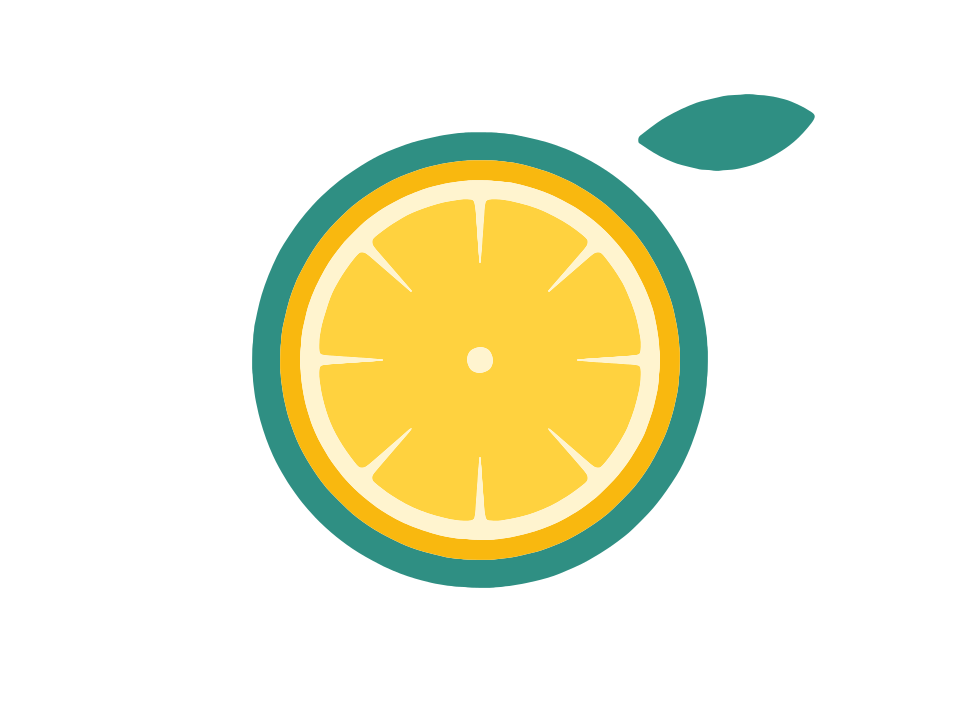
The example at the top is a lemon-slice sticker on a transparent background. It converts to 7 shapes with 764 nodes, and the background stays genuinely empty, so whatever sits behind the SVG shows through.
If the WebP has a solid background baked in instead, for instance a white box behind a logo, that background is just another colour. Turn on Remove background to drop regions that touch the image border.
Dealing with lossy WebP artefacts
Lossy compression saves space by approximating colours, especially near edges. To your eye the image looks fine, but the tracer sees a fringe of slightly different colours around every shape and faint mottling in flat areas. Left alone, that can produce thin slivers along edges and tiny stray shapes. These adjustments clean it up:
- Lower the Number of colours to the colours you can actually see. With fewer colours to choose from, the noisy in-between pixels are absorbed into the main regions.
- Raise Ignore less than above its default of 2 px². Values of 10 to 30 typically remove compression speckles without touching real detail.
- In Black & white mode, add a little Blur. A radius of 1 px evens out blocky edges before the Threshold is applied.
- Raise Curve optimisation slightly if the outlines look wobbly; it fits smoother curves with fewer nodes.
If the original PNG version of the image is available, use that instead. The same advice applies to JPG files, covered in more detail on the JPG to SVG page.
Converting WebP screenshots and web graphics
Some screenshot tools and browsers save captures as WebP. A screenshot of a simple graphic, a chart or a button can be vectorized, but a few habits help:
- Crop to the part you need. Menus, toolbars and surrounding text all become extra shapes.
- Capture at a large zoom level. Zooming the page to 200% before taking the screenshot gives the tracer more pixels per edge, and smoother curves as a result.
- Retype small text. Interface text a few pixels high will not trace into clean letters. Set it again in your design tool.
- Keep Max size in mind. Large captures are scaled to the Max size (2048 px by default) before tracing. Raise it to 4096 or full resolution for very detailed captures.
Choosing settings for a WebP to vector conversion
| Your WebP | Mode | Start with |
|---|---|---|
| Transparent logo or icon | Colour | Colours = visible colours; defaults otherwise |
| Dark one-colour logo | Black & white | Automatic threshold |
| White logo on transparency | Colour, or B&W with Invert | Invert image ticked in B&W |
| Lossy illustration from a website | Colour | Fewer colours, Ignore less than 10 or more |
| Product photo or banner | Colour | 4 to 6 colours for a stylised result |
The documentation describes every setting, and Black & white vs colour tracing helps you pick a mode.
What you get
The result is a standard SVG made of <path> elements, each with a solid fill and fill-rule="evenodd", built from lines and quadratic Bézier curves. Its width, height and viewBox match the traced pixel size. Each visually separate shape is its own path with its own holes, so you can pick out and edit individual parts in any vector editor.
Unlike the WebP, the SVG opens in practically every design, print and cutting application, and it stays sharp at any size. If the image was a photo, keep in mind that shading turns into flat bands of colour; Photo to SVG explains how to make that look intentional.
Frequently asked questions
Is this WebP to SVG converter free?
Yes, completely. There is no account, no watermark, no limit on files and no paid upgrade. Image Tracer is open source.
Is my WebP file uploaded anywhere?
No. Your browser decodes and traces the WebP locally in a Web Worker. Nothing leaves your device, and the converter works offline once loaded.
Does it keep WebP transparency?
Yes. In Colour mode transparent pixels are skipped, so those areas stay empty in the SVG. In Black & white mode they count as white, which also produces no shape.
Does it work with animated WebP?
Image Tracer traces a single still image. An animated WebP is read as a single still frame, not as an animation, and there is no batch mode. For a specific frame, export it as a still image first.
Why are there thin slivers around the shapes?
That is usually lossy WebP compression adding faint colour fringes at edges. Lower the number of colours and raise Ignore less than, and the slivers merge into their neighbours.
Can I convert WebP to PNG or JPG here?
No. Image Tracer only produces SVG vectors. It is meant for turning raster images into scalable, editable shapes, not for converting between pixel formats.
Last updated