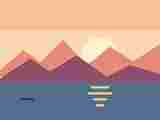
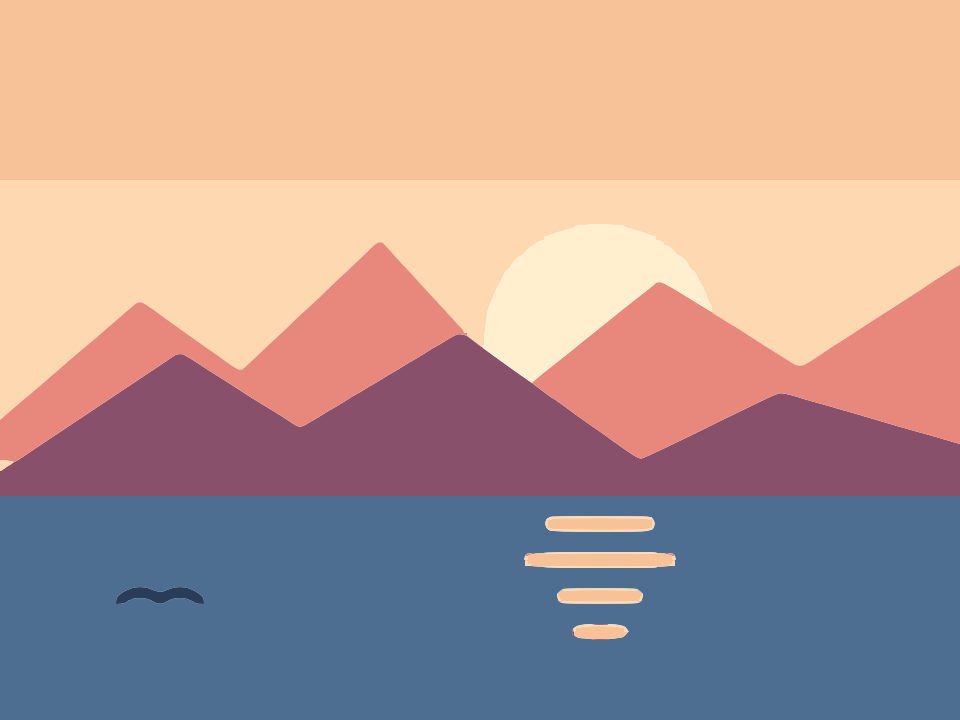
 Before · JPGAfter · SVG · 30 shapes
Why JPG files need a little extra care
JPG (or JPEG, same format) is built for photos. To keep files small it throws away detail your eye is unlikely to miss, and that leaves traces a vectoriser cannot ignore:
- Blocky noise in flat areas, in a grid of 8×8 pixel squares, often only visible when you zoom in.
- Ringing and colour fringes around sharp edges, especially red or dark text on a light background.
- Shifted colours: a "flat" orange logo can contain dozens of slightly different oranges.
A tracer sees every one of those pixel differences as a possible edge. The goal when converting JPG to SVG is to tell it which differences are real and which are compression noise. The converter above starts with 6 colours, a deliberately low number that already absorbs most of that noise.
How to convert a JPG to SVG
- Drop the JPG or JPEG on the converter above, or paste it from the clipboard with Ctrl+V or Cmd+V.
- Count the colours you actually want in the result. If the preview has speckles or extra shapes, open the image in the editor and lower the number of colours to match.
- Raise Ignore less than until the specks disappear without eating real detail.
- For one-colour artwork like text or a stamp, switch to Black & white mode, which handles noise even better.
- Download the SVG or copy its markup.
The file is processed on your own device. It is never uploaded, which matters if the JPG is a client logo or a scanned document.
Settings that clean up compression artifacts
| Problem in the JPG | Setting to change | Mode |
|---|---|---|
| Flat areas break into patches | Lower Number of colours | Colour |
| Thin halos around edges | Lower Number of colours, raise Ignore less than | Colour |
| Scattered specks | Raise Ignore less than | Both |
| Grainy, ragged edges on text | Add a little Blur (1 to 2 px) | Black & white |
| Letters join or break apart | Move the Threshold | Black & white |
| White box around the artwork | Turn on Remove background | Colour |
Fewer colours is the strongest fix
Colour mode groups similar pixels into a palette of the size you choose. With the right number, all those near-identical oranges collapse into one. The engine also cleans up anti-aliasing so soft edges do not spawn their own thin shapes, but it can only do that if the palette is not padded with extra noise colours.

Blur before thresholding
In Black & white mode, a small Gaussian blur smooths out compression grain before the threshold splits dark from light. One or two pixels is usually enough. More than that starts rounding corners and closing small gaps in letters.
Ignore less than for leftovers
Whatever noise survives usually ends up as tiny islands. Ignore less than sets the smallest area, in square pixels, that is allowed to become a shape. The default is 2; values from 10 to 50 are common for noisy JPGs. Keep an eye on full stops and the dots on letters.
Can you convert a photo JPG to SVG?
You can, but be realistic about the result. Tracing turns areas of colour into flat filled shapes. A photo has soft lighting, gradients and texture everywhere, so it becomes a posterised image made of colour bands. Sometimes that is exactly the look you want for a poster or a stylised portrait. It will never look like the original photo.
A traced photo is also often larger than the JPG, because thousands of small shapes cost more to describe than compressed pixels. If you need a photo in an SVG for layout reasons, keeping the JPG as an image is usually the better choice.
Image Tracer does not use AI, does not upscale and does not output gradients, so it will not invent detail that the JPG does not contain.
Good JPG candidates: logos, icons, flat illustrations, charts, stamps, text and scanned drawings that happen to be saved as JPG. Poor candidates: photos of people, landscapes, anything with smooth shading.
Tips for better JPG tracing
- Find the original. If a PNG, a PDF or a higher quality JPG of the same artwork exists, start from that. Each re-save of a JPG adds more noise. Our PNG to SVG page covers the cleaner case.
- Bigger is better. Compression blocks are a fixed 8 pixels wide, so they matter far less on a 2000 px image than on a 300 px one.
- Compare views. In the editor, switch the preview between Original image and Traced vector, and turn on Fade image to see the trace over the original.
- Restore defaults when lost. If you have moved too many sliders, the Restore default settings button puts everything back.
What the SVG contains
You get a plain SVG made of filled <path> elements, one per separate shape, with lines and quadratic Bézier curves. In Colour mode with the default Separate shapes output, neighbouring shapes share exact boundaries, so nothing overlaps and there are no hairline gaps when the file is scaled.
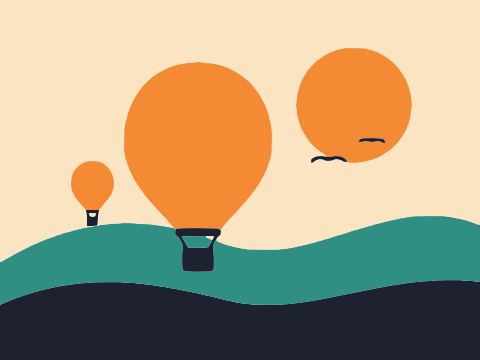
The example above is a lake-at-sunset illustration saved as a heavily compressed JPG. It traces to 30 flat colour shapes and 577 nodes (14.8 KB), with the blocky JPEG noise gone. Shapes can be recoloured or removed one by one in any vector editor.
Troubleshooting
Hundreds of tiny shapes
The palette is too large for a compressed source. Lower Number of colours first, then raise Ignore less than.
Edges look chewed
Compression damage along the edge. In Black & white mode add 1 px of blur. In Colour mode, try one colour fewer.
Two similar colours merged
Go up by one colour at a time until they separate. If noise colours appear first, the two colours are simply too close in the JPG.
Tracing feels slow
Colour tracing does more work than Black & white. Fewer colours, or a lower Max size, speeds it up.
Frequently asked questions
Is JPG to SVG the same as JPEG to SVG?
Yes. JPG and JPEG are two file extensions for the same format. The converter accepts both, plus PNG, WebP, GIF and BMP.
Why is my converted JPG full of little specks?
Those are JPEG compression artifacts being traced as real detail. Lower the number of colours, then raise Ignore less than until the specks go. For one-colour artwork, Black & white mode with 1 to 2 px of blur works even better.
Will a photo look the same after converting to SVG?
No. Tracing produces flat filled shapes, so photos come out posterised, like a screen print. Tracing suits logos, icons and illustrations far better than photos.
Does the converter use AI to clean up my JPG?
No. It is a deterministic tracer. It does not invent detail or upscale; it traces what is in the image, guided by the settings you choose.
Why is my SVG bigger than the JPG?
Detailed or noisy images produce many shapes and nodes, and describing them takes more bytes than compressed pixels. Fewer colours, a higher Ignore less than or a higher Curve optimisation make the file smaller.
Last updated